Flows
One canvas for what happens after someone gets in touch
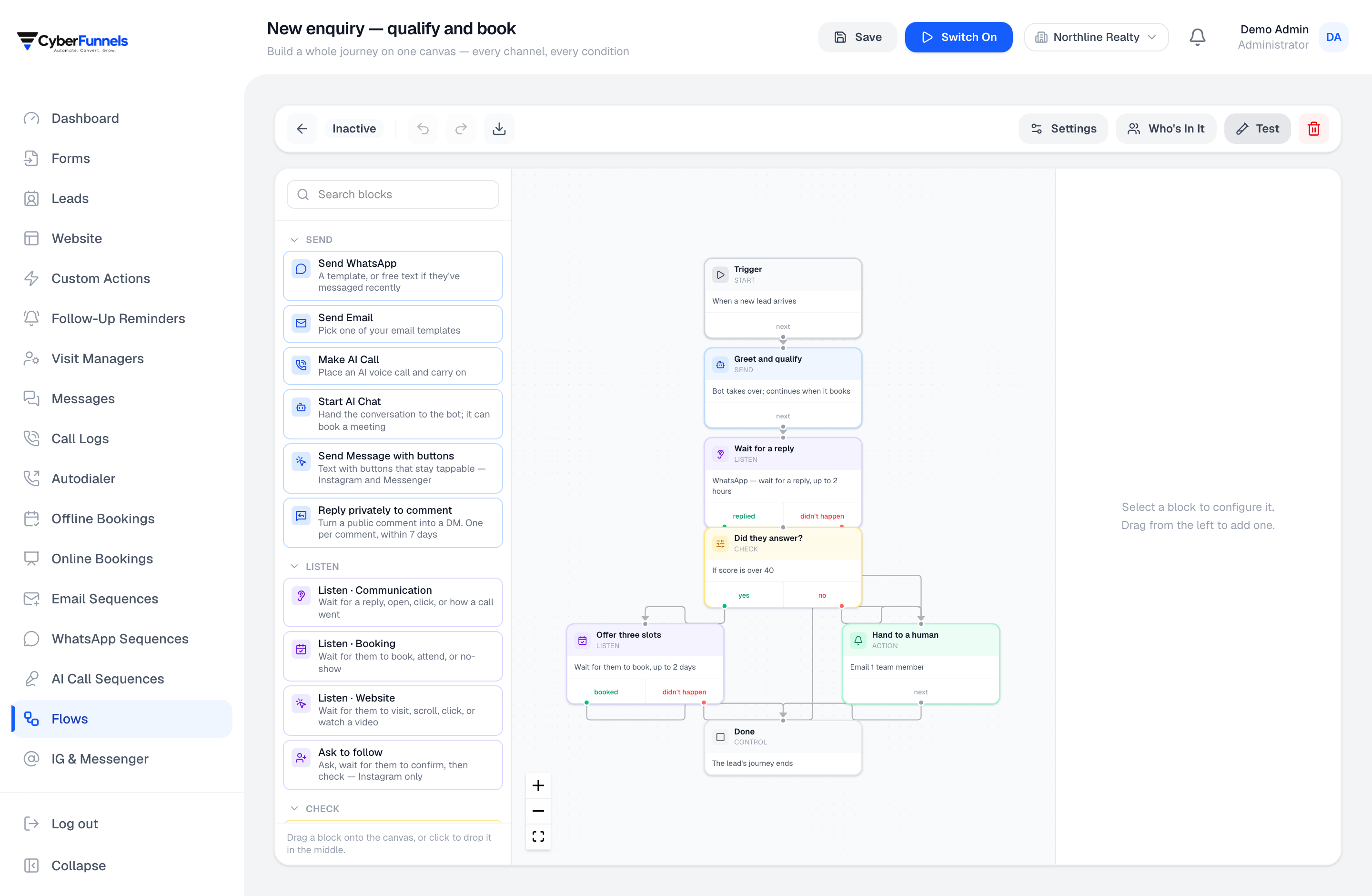
Drag out the path: greet, ask, wait, branch, book, escalate. It runs across WhatsApp, Instagram, Messenger, SMS, email and voice, because the customer does not care which app they used.
- Triggers on a message, a form, a stage change or a schedule
- Waits measured in minutes, hours or days
- Branches on what the customer answered
- The same flow spans every channel
Answered
Offer three slots
No reply
Hand to a human
Built by dragging, not by writing rules in a table
You can see the whole path at once, including the branch nobody thought about. That is the difference between an automation you trust and one you are afraid to edit.
- Steps for sending, waiting, branching, tagging, assigning and calling
- Conditions on lead fields, tags, score, stage, or the last answer
- Test a flow against a real lead before it goes near a customer
Cross-channel, because people switch
Someone starts in an Instagram DM and finishes on WhatsApp. One flow follows them rather than two automations each holding half the story.
- Send on whichever channel the lead last used
- Fall back to another channel when the first is outside its sending window
- Everything lands on one lead timeline regardless of route
It stops when it should
The failure mode of automation is not doing too little, it is continuing after the situation changed. Flows exit on reply, on booking, on a stage change, or on any condition you name.
- Global stop conditions per flow
- A human taking over pauses the automation on that conversation
- See exactly which step each lead is sitting on, and why
How it works
Three steps, not a project
- 1
Pick the trigger
A first message, a form submission, a stage change, or a time.
- 2
Draw the path
Greet, ask two questions, wait, branch on the answer, offer slots.
- 3
Set the exits
Reply, booking, or handover — whatever means the flow's job is done.
FAQ
Questions people ask about this
Do I need to know how to code?
No. Flows are built by dragging steps and filling in fields. The code-shaped escape hatch exists — custom actions can call your own HTTP endpoint — but nothing requires it.
Can I see why a particular lead got a particular message?
Yes. Each lead shows which flow it entered, which step it is on, and the path it took to get there. Debugging an automation by guessing is how people lose faith in it.
What happens if I edit a flow while people are inside it?
Leads already running continue on the structure they entered, so an edit cannot teleport somebody into the middle of a different conversation. New entrants get the new version.
The rest of the product
Contact
Questions about flows?
Ask us something specific. We would rather tell you it does not fit than sell you a plan you cannot use.
Email us
We reply within one business day.
Call or WhatsApp
Monday to Saturday, 10:00–19:00 IST.
Cybersync Technologies Private Limited
Block Road, Ramkrishna Nagar, Karimganj, Assam 788166, India
CIN U62099AS2023PTC025199
Draw the follow-up you have been meaning to do by hand
One trigger, three steps and an exit condition is enough to stop losing leads overnight.