CRM & leads
Every message, call and note about a person, on one timeline
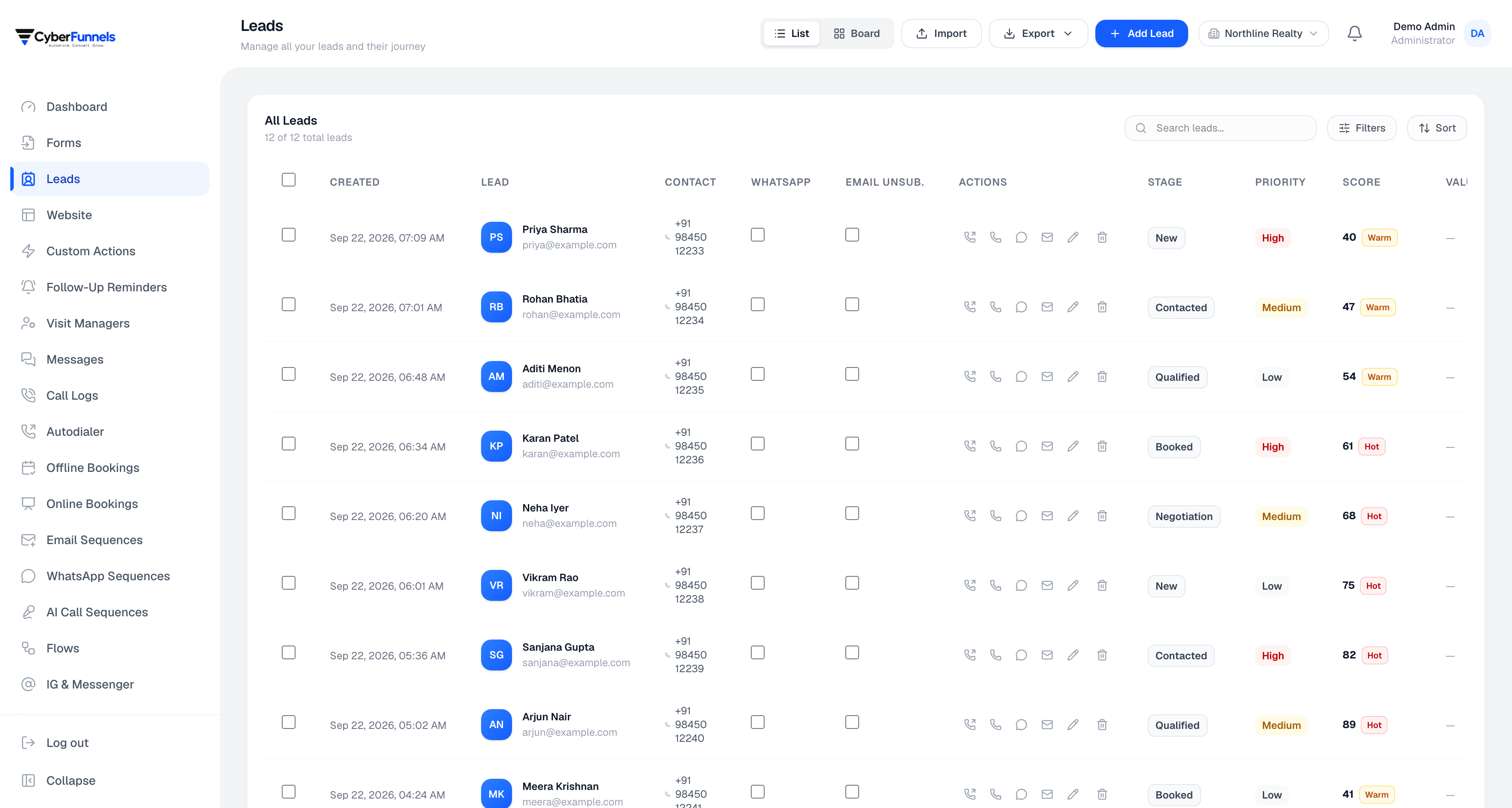
Not a spreadsheet with a colour scheme. Each lead carries its whole history — every channel, every call, every note, every score change — so whoever picks it up knows what has already been said.
- One timeline across messages, calls, emails, meetings and notes
- Stages you define, not five fixed ones
- Filtering by stage, source, tag, score and your own custom fields
- Follow-up reminders that actually fire
Neha Iyer
Qualified · Instagram · score 78
Asked about the corner unit
Mon 14:02
Sent the floor plan
Mon 14:09
Call — qualified, budget confirmed
Tue 11:20
Booking confirmation sent
Tue 11:26
The timeline is the product
A WhatsApp thread, a voice call transcript, an email, a site visit, a note somebody typed after a meeting — in one chronological list. Nobody has to ask a colleague what happened.
- Calls, emails, WhatsApp, visits, meetings and score events in order
- Notes are timestamped and individually deletable, not one growing text box
- Visible from the inbox, the leads list and the reminders panel — the same timeline everywhere
Filtering that matches how you think about leads
Stage, branch, project, source, priority, tags, score range, and rules on your own custom fields. The same filter drives bulk actions and sequence targeting, so what you selected is what gets messaged.
- Combine conditions — qualified, from Instagram, scored over 60, not contacted this week
- Select everything matching a filter, not just the page you can see
- Bulk assign, bulk change stage, or share with another workspace you own
Scoring and reminders, so nothing rots
Leads gain score for engaging and lose it for going quiet, and a follow-up reminder puts the ones worth chasing in front of you with the whole context attached.
- Score bands you can filter and sequence on
- Automatic decay, so an old hot lead does not stay hot forever
- Reminders with the lead's timeline in the same panel, not a link away
How it works
Three steps, not a project
- 1
Let leads arrive
From a DM, a form, a Meta lead ad or an import — they all become leads.
- 2
Shape your pipeline
Name your own stages. A clinic does not have a 'negotiation' stage.
- 3
Work the list
Filter, act in bulk, and let reminders bring back what you set aside.
FAQ
Questions people ask about this
Can I import what I already have?
Yes, from CSV, with your columns mapped to lead fields and custom fields. Duplicates are matched on phone and email rather than creating a second record for the same person.
Can I get my data out?
Leads export to CSV at any time, from the same filters you use on screen. There is no export fee and no notice period — an exit you cannot take is not a feature we want to rely on.
Can different team members see different leads?
Yes. Roles carry permissions, and leads can be scoped by branch so a team only sees the ones belonging to theirs.
Can I run more than one business in one login?
Yes. One account can hold membership in several workspaces and switch between them, with data kept strictly separate. Larger plans can also point a workspace at their own database entirely.
The rest of the product
Contact
Questions about crm & leads?
Ask us something specific. We would rather tell you it does not fit than sell you a plan you cannot use.
Email us
We reply within one business day.
Call or WhatsApp
Monday to Saturday, 10:00–19:00 IST.
Cybersync Technologies Private Limited
Block Road, Ramkrishna Nagar, Karimganj, Assam 788166, India
CIN U62099AS2023PTC025199
Stop asking your team what happened with that lead
Connect one channel and watch the first timeline build itself.